Saturday, 29 October 2011

Introduction to SNA


Introduction to SNA

Summary: In the early 1970s, IBM discovered that large customers were reluctant to trust unreliable communications networks to properly automate important transactions. In response, IBM developed Systems Network Architecture (SNA). "Anything that can go wrong will go wrong," and SNA may be unique in trying to identify literally everything that could possibly go wrong in order to specify the proper response. Certain types of expected errors (such as a phone line or modem failure) are handled automatically. Other errors (software problems, configuration tables, etc.) are isolated, logged, and reported to the central technical staff for analysis and response. This SNA design worked well as long as communications equipment was formally installed by a professional staff. It became less useful in environments when any PC simply plugs in and joins the LAN. Two forms of SNA developed: Subareas (SNA Classic) managed by mainframes, and APPN (New SNA) based on networks of minicomputers.
In the original design of SNA, a network is built out of expensive, dedicated switching minicomputers managed by a central mainframe. The dedicated minicomputers run a special system called NCP. No user programs run on these machines. Each NCP manages communications on behalf of all the terminals, workstations, and PCs connected to it. In a banking network, the NCP might manage all the terminals and machines in branch offices in a particular metropolitan area. Traffic is routed between the NCP machines and eventually into the central mainframe.
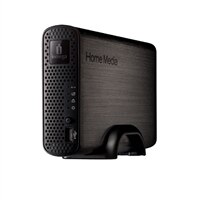
Iomega 2TB Home Media Network Drive (Personal Cloud Edition)
The mainframe runs an IBM product called VTAM, which controls the network. Although individual messages will flow from one NCP to another over a phone line, VTAM maintains a table of all the machines and phone links in the network. It selects the routes and the alternate paths that messages can take between different NCP nodes.
A subarea is the collection of terminals, workstations, and phone lines managed by an NCP. Generally, the NCP is responsible for managing ordinary traffic flow within the subarea, and VTAM manages the connections and links between subareas. Any subarea network must have a mainframe.
The rapid growth in minicomputers, workstations, and personal computers forced IBM to develop a second kind of SNA. Customers were building networks using AS/400 minicomputers that had no mainframe or VTAM to provide control. The new SNA is called APPN (Advanced Peer to Peer Networking). APPN and subarea SNA have entirely different strategies for routing and network management. Their only common characteristic is support for applications or devices using the APPC (LU 6.2) protocol. Although IBM continues the fiction that SNA is one architecture, a more accurate picture holds that it is two compatible architectures that can exchange data.
It is difficult to understand something unless you have an alternative with which to compare it. Anyone reading this document has found it from the PC Lube and Tune server on the Internet. This suggests the obvious comparison: SNA is not TCP/IP. This applies at every level in the design of the two network architectures. Whenever the IBM designers went right, the TCP/IP designers went left. As a result, instead of the two network protocols being incompatible, they turn out to be complimentary. An organization running both SNA and TCP/IP can probably solve any type of communications problem.
An IP network routes individual packets of data. The network delivers each packed based on an address number that identifies the destination machine. The network has no view of a "session". When PC Lube and Tune sends this document through the network to your computer, different pieces can end up routed through different cities. TCP is responsible for reassembling the pieces after they have been received.
In the SNA network, a client and server cannot exchange messages unless they first establish a session. In a Subarea network, the VTAM program on the mainframe gets involved in creating every session. Furthermore, there are control blocks describing the session in the NCP to which the client talks and the NCP to which the server talks. Intermediate NCPs have no control blocks for the session. In APPN SNA, there are control blocks for the session in all of the intermediate nodes through which the message passes.
Every design has advantages and limitations. The IP design (without fixed sessions) works well in experimental networks built out of spare parts and lab computers. It also works well for its sponsor (the Department of Defense) when network components are being blown up by enemy fire. In exchange, errors in the IP network often go unreported and uncorrected, because the intermediate equipment reroutes subsequent messages through a different path. The SNA design works well to build reliable commercial networks out of dedicated, centrally managed devices. SNA, however, requires a technically trained central staff ready and able to respond to problems as they are reported by the network equipment.
The mainframe-managed subarea network was originally designed so that every terminal, printer, or application program was configured by name on the mainframe before it could use the network. This worked when 3270 terminals were installed by professional staff and were cabled back to centrally managed control units. Today, when ordinary users buy a PC and connect through a LAN, this central configuration has become unwieldy. One solution is to create a "pool" of dummy device names managed by a gateway computer. PC's then power up and borrow an unused name from the pool. Recent releases allow VTAM to define a "prototype" PC and dynamically add new names to the configuration when devices matching the prototype appear on the network.
A more formal solution, however, is provided by the APPN architecture designed originally for minicomputers. APPN has two kinds of nodes. An End Node (EN) contains client and server programs. Data flows in or out of an End Node, but does not go through it. A Network Node (NN) also contains clients and servers, but it also provides routing and network management. When an End Node starts up, it connects to one Network Node that will provide its access to the rest of the network. It transmits to that NN a list of the LUNAMEs that the End Node contains. The NN ends up with a table of its own LUNAMEs and those of all the EN's that it manages.
When an EN client wants to connect to a server somewhere in the network, its sends a BIND message with the LUNAME of the server to the NN. The NN checks its own table, and if the name is not matched broadcasts a query that ultimately passes through every NN in the network. When some NN recognizes the LUNAME, it sends back a response that establishes both a session and a route through the NN's between the client and the server program.
Most of APPN is the set of queries and replies that manage names, routes, and sessions. Like the rest of SNA, it is a fairly complicated and exhaustively documented body of code.
Obviously workstations cannot maintain a dynamic table that spans massive networks or long distances. The solution to this problem is to break the APPN network into smaller local units each with a Network ID (NETID). In common use, a NETID identifies a cluster of workstations that are close to each other (in a building, on a campus, or in the same city). The dynamic exchange of LUNAMEs does not occur between clusters with different NETIDs. Instead, traffic to a remote network is routed based on the NETID, and traffic within the local cluster is routed based on the LUNAME. The combination of NETID and LUNAME uniquely identifies any server in the system, but the same LUNAME may appear in different NETID groups associated with different local machines. After all, one has little difficulty confusing "CHICAGO.PRINTER" from "NEWYORK.PRINTER" even though the LUNAME "PRINTER" is found in each city.
TCP/IP is a rather simple protocol. The source code for programs is widely available. SNA is astonishing complex, and only IBM has the complete set of programs. It is built into the AS/400. Other important workstation products include:
  • NS/DOS for DOS and Windows
  • Communications Manager for OS/2
  • SNA Services for AIX
  • SNA Server for Windows NT [from Microsoft]
The native programming interface for modern SNA networks is the Common Programming Interface for Communications (CPIC). This provides a common set of subroutines, services, and return codes for programs written in COBOL, C, or REXX. It is documented in the IBM paper publication SC26-4399, but it is also widely available in softcopy on CD-ROM.
Under the IBM Communications Blueprint, SNA becomes one of several interchangeable "transport" options. It is a peer of TCP/IP. The Blueprint is being rolled out in products carrying the "Anynet" title. This allows CPIC programs to run over TCP/IP, or programs written to use the Unix "socket" interface can run over SNA networks. Choice of network then depends more on management characteristics.
The traditional SNA network has been installed and managed by a central technical staff in a large corporation. If the network goes down, a company like Aetna Insurance is temporarily out of business. TCP/IP is designed to be casual about errors and to simply discard undeliverable messages.
The Internet is formed of a few dozen central service providers and 10,000 connected private networks. Things change all the time. It is not rational to try to centrally control every change or immediately respond to every problem. It would not be possible to build the Internet at all using SNA, but IP delivers fairly good service most of the time.

Friday, 28 October 2011

LED (LIGHT EMITTING DIODE)

What is LED?

LED stands for Light Emitting Diode In the simplest terms LED’s are tiny lightbulbs that operate without a filament by allowing the movement of electrons around a semiconductor material. They are smaller, longer lasting, cheaper to operate, faster switching and are more durable than traditional globes.
LED technology has recently been developed into a number of highly functional lighting applications and products which can now replace traditional inefficient lighting sources. At a time where environment and climate change factors, combined with increasing energy costs for not only businesses but the average household, LED technology is the solution for now and the future.

Advantages of LED

samsung-led-tv 9 Things To Know About LED TV Gadgets ProductEfficiency
LED’s are capable of producing more light output per Watt of power input. You get more light for less money to run!
Colour
LED’s can be used to produce any colour using the RGB capabilities. There is no need for filters or colour diffusers
Size
LED’s can be as small as 2mm in size, and can therefore be used in multitudes of applications
On/Off Time
LED’s start almost instantaneously.
Cycling
LED’s are excellent for applications that require them to be turned on and off very frequently.
Dimming
A number of LED’s can now be dimmed
Cool Light
LED’s compared to traditional lighting sources produce very low heat making it ideal in a number of sensitive applications.
Slow Failure
At the end of an LED’s life it will not simply stop working, however it will simply begin to dim over time.
Lifetime
LED’s lives are considerably larger than traditional globes. Current technology has LED’s lasting around 50,000 hours. Whereas incandescent last 1,000-2,000 hours and fluorescent lights around 8,000-10,000 hours.
Shock Resistant
LED’s are able to withstand shock and are much more durable than traditional light sources
Focused Light
LED light can be easily directed in a particular direction, whereas traditional lights require external reflectors to focus the light in a useable manner
Toxicity
LED’s do not contain mercury like traditional fluorescents.

Why Choose LED Technology?

The Green Choice
In this file photo a man passes by LED lighting drums at a showroom of Samsung Electronics Co. in Seoul, South Korea.LED lighting is fast becoming the most environmentally friendly light technology on the market today. Not only is it cheaper to run for the consumer or business, but because it uses less energy, the carbon output required to operate it is lower. Imagine an office complex with 10000 lights. If you could have their lighting energy use, the carbon footprint of the building would be reduced considerably and that just one factor.
What happens to a standard fluorescent when it stops working. In most circumstances it is simply disposed of in Landfill, which allows for the harmful mercury to be released from the light. LED lights contain no hazardous gasses to operate and therefore can be disposed of quite simply.
Not only are LED lights less harmful to the environment at the end of their life cycle, but the usable life of LED lights is considerably longer. A traditional fluorescent lamp has a working life of approximately 8000 hours, whereas its substitute LED version operates in excess of 50000 hours.

Economics – It just makes sense

LED technology runs at considerably lower wattage than traditional fluorescent, incandescent, halogen and even lower wattage than government endorsed compact fluorescent globes. These lower energy uses simply translate to lower energy bills for your household or business.

The longer life of up to 50000 hours as opposed to traditional lights of less than 10000 hours, means for every one LED you have installed, you would have in the past replaced about 5-8 traditional lights whilst not having to touch the LED, drastically lowering replacement and maintenance costs.

In an economic environment of increasing energy costs, labour costs, and workers compensation costs, can your business really afford the time to perform this challenging work, or can you afford the risk of injury to a worker changing a difficult globe regularly?

Occupational Health and Safety

As workers compensation costs rise, and the average claim increasing, businesses operating with best practice are always looking for methods to reduce this costly impact on businesses. It is a fact that people performing manual work are more likely to have a workplace injury, multiply that likelihood again by someone climbing a ladder and performing work above their heads. The need to perform this work cannot be eliminated, but the frequency of it can be reduced. Some businesses outsource this work simply for OHS reasons. Why pay someone to come and change a lightbulb 5-8 times more than is needed?

Have you ever worked in an office with humming and flickering fliursecent tubes? LED lights have the benefit of immediate start, no noise output and they do not flicker, even when at the end of their life. So say goodbye to headaches and eye strain!

Temperature

Lighting can have a significant impact on the temperature of a space. Particularly areas with high concentration of lighting, or large amounts of halogen down lights. LED’s have a low operating temperature, which significantly reduces the heat output into the surrounding area. Businesses operating air-conditioning units would know the cost association with cooling the work areas and this again represents another means of saving the business money.

Lighting that runs hot, such as halogen down lights not only heat the globe, but cause large amount of heat to transfer through the wiring and into the transformer, providing many opportunities for failure. As the LED equivalent runs at less than 40 degrees, the load on the transformer is reduced and the light and surrounding areas are not uncomfortably hot.

As the LED equivalent runs at less than 40 degrees, the load on the transformer is reduced and the light and surrounding areas are not uncomfortably hot.

Ease of Substitution

Changing from traditional lighting to new LED technology does not necessarily mean changing all the light fittings and fixtures, instead most LED products are simply substitutes for traditional lights and can be swapped as easily as pulling out the old and pushing in the new. This can present a large benefit to organisations and households as it does not bring with it large installation costs, and particularly in a home environment can be completed by the home owner.

Safety

Traditional globes are made of very thin sections of glass and as a result, on occasion, one may be dropped or smashed. The small glass particles can pose a large safety hazard to children in a domestic environment, or members of the public in a commercial environment. LED lighting does not contain glass, instead is made of aluminium and polycarbonates which pose no danger if they are broken, therefore providing the owner piece of mind.

Thursday, 27 October 2011

What is KVM ?

One of the most overlooked most incredibly important devices in any data center is KVM switch (with KVM being an abbreviation for Keyboard, Video or Visual Display Unit, Mouse) is a hardware device that allows a user to control multiple computers from a single keyboard, video monitor and mouse. Although multiple computers are connected to the KVM, typically a smaller number of computers can be controlled at any given time. Modern devices have also added the ability to share USB devices and speakers with multiple computers.

Some KVM switches can also function in reverse - that is, a single PC can be connected to multiple monitors, keyboards, and mice. While not as common as the former, this configuration is useful when the operator wants to access a single computer from two or more (usually close) locations


With just the click of a mouse, managers can instantly see a physical server and configure options without having to use a more complex remote access terminal. In the past, administrators used a KVM device with a hardware switch to see a server. KVM-over-IP devices are becoming increasingly common, and administrators are using them to control as few as two or as many as several thousand servers. For IT managers, understanding how a KVM works in the modern data center can help them increase productivity, reduce management chores, and inspect servers more effectively.

In a data center, managers who use a KVM-over-IP device are more concerned about the ability to access a server than the quality of the video. Many KVM-over-IP products use one Ethernet CAT 5 cable to capture keyboard, mouse, and video signals from the server and deliver them over a Web browser or a proprietary interface that lets an administrator access that server. KVMs support USB, PS/2, and Sun 8-pin keyboard and mouse connections, as well as VGA or DVI video ports. Switching between devices is typically done through the browser or interface and not a physical switch. This makes KVM over IP similar to a remote access product, such as Windows Remote Desktop Connection, except there are no user accounts to configure or passwords to remember. Instead, it is partly a hardware configuration (connecting servers physically with the CAT 5 cables) and partly a software function.

The key advantage of KVM technology in data centers is that it enables you to lock your data center, restrict physical access to the server racks, and then access the computers from the comfort of any workstation connected to your network.

KVM over IP


KVM over IP systems eliminate distance limitations by allowing access and control of remote servers and other network devices from the desk, the NOC or any other location. Avocent KVM over IP solutions, including the DS Series hardware and DSView® 3 management software enable you to securely manage your entire IT infrastructure using a single interface from any location. The DS Series enables you to continue to manage all your servers and devices even if the network has failed and remote access software no longer functions.

IT staff can access and control almost any server or network device, from any location, using a Windows interface such as DSView 3 software.


All of these Remote Access KVM Over IP products allow you access via your internal LAN/WAN, and some allow connectivity via the Internet or dial-in access via ISDN or standard 56K modems.Utilizing advanced security and regardless of operating system, these Remote Access KVM Over IP products allow you to remotely control all your servers/CPUs ? including pre-boot functions such as editing CMOS settings and power cycling your servers.


Key Terms

• KVM: A mechanical device that lets you switch between servers and pass signals for keyboard, video, and mouse from one system to another.

• KVM over IP: A device that uses CAT 5 cables to process keyboard, video, and mouse signals.

• Remote access: Used in conjunction with a KVM to access a server remotely.

Adantages of KVM over IP
  • A single management interface can be used to manage an entirely heterogeneous IT infrastructure
  • Administrators can manage remote data centers and branches as if they were present in each location
  • Allows IT administration expertise to be centralized
  • Enables multiple administrators to simultaneously work on a remote server or device
  • Reduces downtime by providing easy access and control to any connected server or device
  • Includes all the benefits of KVM technology including BIOS-level access even if the network is down
  • Requires no special software or hardware modifications to the targeted device
  • KVM over IP takes advantage of the TCP/IP infrastructure you already have in place
  • Enables a "lights out" data center, thereby reducing the physical security risk
  • Adds valuable authentication and logging of server access activity
  • All keyboard and video signals are fully encrypted
  • Enables an outsourcing model by providing a third party with authorized, secure and managed access to an external server infrastructure

KVM over IP applications

Local control: A KVM over IP solution reduces the number of rack consoles and allows multiple support personnel to work simultaneously on the same server via their workstations

Branch control: KVM over IP enables administrators to remotely troubleshoot and repair branch servers and devices without the need to have technical staff at each location.

Enterprise control:
By using KVM over IP, administrators can have secure centralized control over multi-location data centers.

KVM over IP??????????

What is KVM over IP?
KVM over IP stand alone units and KVM over IP switches are designed to enable remote access to computers and servers across a LAN/WAN, the Internet or even ISDN/56K
modem. Adder KVM over IP devices also enable out of band management enabling remote power cycling and BIOS level access to remote locations or within a data center.
Adder KVM over IP devices are jointly designed with Real VNC. Using the original industry standard remote access tool means that Adder devices are not only amongst the highest performing, flexible and reliable on the market but also come packed with a whole host of additional features such as scaling viewers, high color depth and advanced mouse support.


What makes Adder KVM unique?
While Adder’s KVM solutions are designed to provide a wide range of functional advantages to specific types of KVM users, including SMBs and hosting/co-location service providers, Adder has over the years paid particular attention to the quality of the KVM user experience. As a result, Adder’s solutions are significantly differentiated by the premium user experience they deliver.

Examples of how Adder delivers this premium KVM user
experience include:
Intelligent video thresholding
Adder’s innovative active de-artifacting technology automatically calculates the ideal threshold for any computer or KVM switch so that video displays are refreshed with optimum immediacy - while “screen junk” is kept to an absolute minimum.

Adaptive video compression
Adder solutions also optimize the immediacy of video data updates through the use of adaptive compression that ensures the best possible performance over any given network connection. This is especially critical for KVM over IP, where excessive bandwidth utilization can easily cause video performance to deteriorate under shifting network conditions.

Flexible screen scaling
Adder solutions provide point-and-click screen scaling, so that users can quickly accommodate target devices running any size display with any aspect ratio. Adder solutions also allow users to easily override scaling if and when they require unscaled pixel-to-pixel mapping.

Self-learning video and mouse settings
Adder’s KVM over IP technology automatically captures and saves the video and mouse settings for each managed target device. This saves KVM users the time and hassle of
recalibrating those settings as they manage multiple remote devices.

Outstanding mouse response
Adder uses advanced acceleration algorithms to deliver mouse responsiveness that is up to ten times faster – and exhibits substantially less motion lag than some competing
products.

Fully adaptive mouse support
Adder supports all types of mouse implementations over IP- including single and dual mouse modes, as well as relative and absolute USB modes. Adder solutions also optimize
mouse performance by adapting to all acceleration settings for most common systems.

A highly intuitive, easily navigable user interface Adder solutions are intentionally designed to make it as easy and efficient as possible to execute all types of  KVMsupported

IT operations. This is achieved with features such as “in-picture” menus that allow KVM over IP session to be managed within the same window as the target device’s video
- as well as with an intuitive interface that lets users quickly access KVM functions and move between managed devices and/or access functionality such as power cycling. Users can also download viewers right from Adder KVM devices in case they have to work from a PC or laptop that does not yet have a viewer on it.

Fast, easy setup
Adder solutions save time and eliminate many common sources of user frustration with a simple, intuitive on-screen setup “wizard.” This wizard, combined with automated IP address administration, enables users to quickly add or delete devices, regardless of their level of KVM expertise.
Adder’s KVM solutions are also differentiated by their reliability, robust security, flexible administration, and broad choice of configuration suitable for diverse computing
environments. However, because IT staff productivity is such a key issue for today’s  businesses, it is the premium KVM user experience Adder offers that is often the key differentiator in terms of bottom-line value.

Real VNC
VNC (Virtual Network Computer) Software is a system devised to enable users to simply access and control remote computers over a network. Invented in Cambridge, England by a team at Olivetti and then AT&T, VNC was made open source enabling the protocol to quickly become the remote access standard. Many companies began to adapt and commercialize various features of the VNC protocol capitalising on its ubiquitous nature. In 2002 the original inventors of VNC took it upon themselves to completely re-write their code bringing their expertise to bear on the standard. Real VNC brought the enterprise version to market featuring high level security together with encryption to assure the safety of your enterprise. Adder Technology and Real VNC collaborated together to provide Real VNC Access with a difference. Rather than installing the software on each server, the protocol would be embedded into Adder’s advanced KVM switches adding a hardware security layer to the model. This provided users the benefits of both technologies. Features such as the multi platform nature of KVM switches coupled with Out of Band Access enabling users to remotely boot computers and see the configuration prior to the OS becoming active are now the base level requirements.


AdderView CATxIP CATx IP 1000

Raritan Dominion KX II- KVM Switch

Tuesday, 25 October 2011

Facebook App: Connection Cloud

Facebook App: Connection Cloud

By Daryl Tay
In yesterday’s Podcast of the month post, I mentioned that Marketing Over Coffee was picked because of the Facebook application introduced during the show.
The application in question (if you haven’t already guessed) is Connection Cloud, and what it does is show you a cloud network of your friends and who’s linked to who. Here’s mine (click for larger image):
Facebook Connection Cloud
What’s amazing is that you actually can see little groups of people formed in here. If you click to see a bigger image, you can see 5 distinct groups of people:
  1. The SJI group in the bottom left
  2. My TA group somewhere in the centre (ie people who I have TA-ed for in the last few years)
  3. The MTV group to the right
  4. Family on the top right
  5. The mass of SMU and SMU Broadcast & Entertainment people are right smack in the middle
How does this help?
If you listened to Marketing Over Coffee, this really helps identify who the connectors are in various circles of people you know. And this can be really useful in getting your message, question, brand out to whoever is is you want. Given that I don’t own a business right now, I don’t have business uses for this application, but there’s no doubt in my mind that it can be an extremely powerful tool if used correctly.
The only thing I don’t like is the mass in the centre. I think there should be some way to decipher the huge scribbly-ball there instead of just leaving it as a cloud. Perhaps in future versions?
Have you seen your cloud? How does it look? Can you identify important sub-groups within your network? Let me know.

Saturday, 22 October 2011

HTML5 Will Transform Mobile Business Intelligence and CRM

HTML5 will lead to richer mobile BI and CRM apps that can be used across browsers and devices.
HTML has evolved considerably since it was first mapped out by Tim Berners-Lee more than 20 years ago. Now we're up to HTML 5.0, which could have a significant effect on the business intelligence and CRM landscape.

"HTML5 is a big push forward, especially considering how it handles different media as well as cross-device portability," said Tiemo Winterkamp, senior vice president of global marketing at business intelligence (BI) vendor arcplan. "Both are key areas to help us with mobile scenarios."
In the past, browsers were dependent on other technologies such as Flash, Silverlight or Java to render rich internet applications (RIA). This created problems such as Flash not being supported on iPhones or iPads. So one big benefit of HTML5 is that browsers will be able to integrate additional content like multimedia, mail and RIA with enhanced rendering capabilities. And plans have been made to allow future HTML5 browsers to securely access sensor and touch information, which makes HTML5 a viable alternative to native application development for such functions.
The result: With HTML5, nearly every piece of internet content we can envision today will be able to be coded in HTML, Javascript and Cascading Style Sheets (CSS), and therefore automatically portable to all environments and browsers supporting HTML5.

"This approach is very attractive for BI vendors who aim to provide business critical information anywhere, anytime and on any device," said Winterkamp. "The result is an attractive, multi-functional user interface with as little design and deployment effort as possible. And more importantly, you only need to develop these apps once for all devices."

He notes that HTML5 is very much a standard on the rise. It is progressing fast, with supporters such as Apple, Microsoft and Google, but the different browser vendors are currently cherry-picking the HTML5 features that best fit their current roadmap. Thus the degree of HTML5 support varies within some browsers, and an official release date when we'll see browsers with a broad implementation is hard to predict. But the good news for business applications is that many of the features available today thanks to HTML5 are sufficient to implement modern business intelligence and CRM applications.

For standard PCs or notebooks, current HTML is fine in terms of delivery of most relevant business intelligence and CRM functions. However, factors such as screen resolution and device size make mobile devices more of a challenge. HTML5 will simplify things and incorporate zooming technologies and gestures (pinching, double tap, turning, and so on) natively provided by the different devices.
The advent of HTML5 will also be good for app development. It will act as an impetus for innovation among CRM and BI application developers.

"Improved browsing technologies will force apps to evolve," said Thomas Husson, an analyst at Forrester Research. "In addition to talking to the local device, next-level apps should also talk to other apps through open APIs and interact with other devices."

Empowering Mobile Salespeople

Looking ahead, HTML5 will make it easier to bundle various types of media content into one "client mashup." For example, it becomes possible to list the nearby customers of a salesperson based on current GPS information and further visualize the different locations within Google Maps.

"You could even go as deep as mashing up the current total turnover of the customer with embedded chart visualization," said Winterkamp. "You may even embed content such as voice comments, pictures or bar codes as attachments in the database which is currently used on the server side."

Yes, some current applications can do all of that. But those are typically custom-built native apps that run on a specific device or platform. With the new HTML5, the door is opened to the creation of such applications once for them to be deployed everywhere.

Take the case of App Store tools that were specifically created for iPhones. When the iPad hit the streets, those apps had to be adjusted to work on that platform. And in many cases, they could not be reused for Android or Blackberry devices. Each of the apps for these different platforms and devices has to be maintained over time. HTML5 simplifies takes away that complexity, reducing the maintenance cost for mobile BI.

CRM, BI Vendors Roll Out HTML5 Apps

What is going to happen on the vendor front? More than likely, the established CRM and business intelligence players will be slower to adopt HTML5, as they already have plenty on their plates to deal with maintaining and upgrading their existing products. So look for the smaller players to be the ground breakers in this arena.

Arcplan, for instance, completed a review of its mobile BI options in 2010 and decided to go the web-app route using HTML rather than harnessing native applications. The result is that arcplan Mobile can run on any browser providing sufficient HTML support. This includes WebKit-based mobile browsers on iPhone, Blackberry, Android, Windows Phone 7.5 "Mango" and Bada.

"We are not offering every HTML5 function right now, but with each update of arcplan Mobile, we'll integrate new functions as they become available," said Winterkamp. "One thing that is high on our wish list is to have local and secure data storage in the browsers. This will then allow users to create uniform offline analytical web apps. "

Another potential addition would be to have something on a smartphone or tablet PC called a mobile BI Wall. This could give users widget-like snippets of dashboards and reports on their computers that are automatically updated and fed by a BI data warehouse. Typically this requires animated charts, local data storage, personalization, and collaboration features.

"Several of the new HTML5 functions will help us to create this mobile BI Wall as a smart web app," said Winterkamp. "But we do not expect to see that happen before mid next year."
Jaspersoft and QlikTech are other business intelligence vendors working with HTML5, while on the CRM side, Salesforce and SugarCRM are early adopters.
Overall, though, it may be a little while before this technology breaks into the business intelligence and CRM mainstream.
"HTML5 will greatly improve the audio and video capabilities of mobile browsers," said Husson. "However, it will be at least three years before the technology fully matures. It has to reach critical mass on consumers' mobile handsets and in developers' minds."